



Two everyday parts of Ganttify just got better: the page where your Gantt charts live, and what you see the moment you open one. Here's what changed.
A redesigned home for all your Gantt charts
My Charts is where every chart you save ends up, and it just got a complete redesign. You can now switch between a compact list and a visual grid, whichever fits the way you scan. Favorites still pin your go-to timelines to the top, and the page loads noticeably faster.
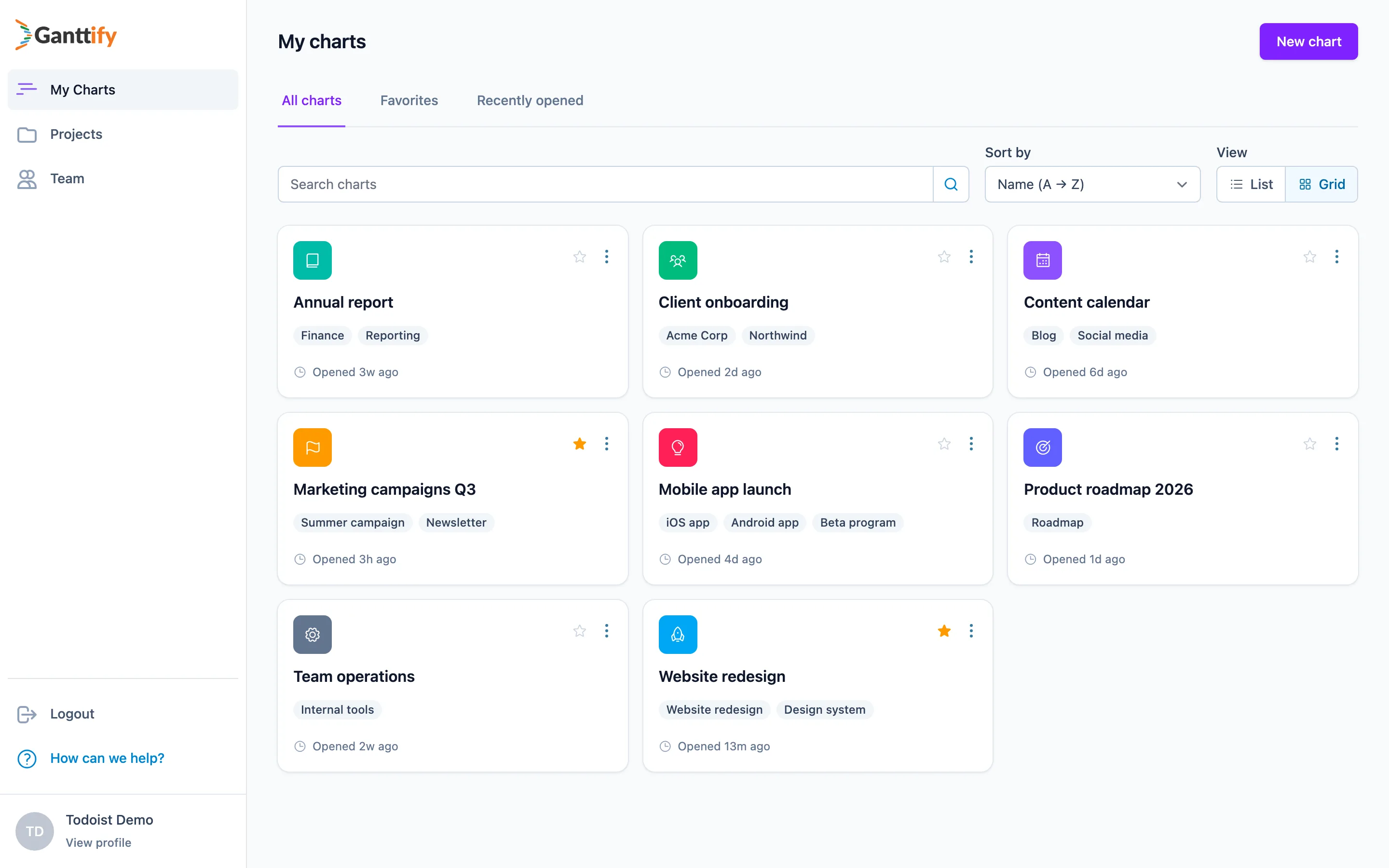
Every chart can also get its own icon and color. An orange flag for your marketing campaigns, a green icon for client work — you'll spot the right chart before you've read a single name. That makes a real difference when you're managing Gantt charts for multiple projects, whether that's a separate chart per client or one big multi-project Gantt chart for the whole team.
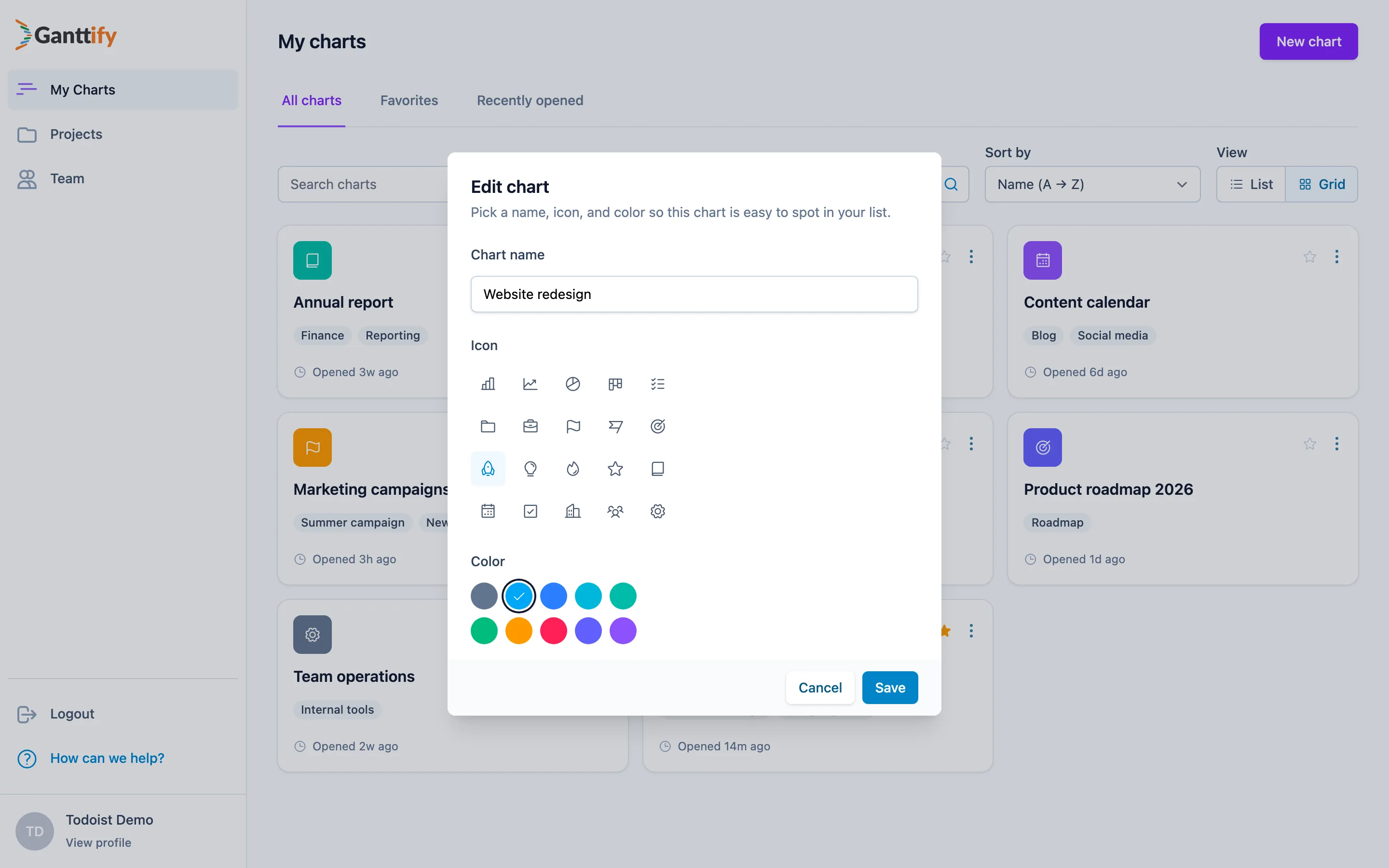
Renaming a chart and changing its appearance now happen in a single dialog, with a live preview so you can see exactly what you'll get before you save.
Finding a specific chart is quicker too. Type a few letters in the search box, or sort by name, last opened, or creation date. And the Favorites and Recently opened tabs still keep your most-used timelines one click away.
Charts open where your work is
Until recently, opening a chart always dropped you at today's date. That's fine when your timeline spans today. It's less fine when the project wrapped up last month and you're greeted by an empty grid.
Charts are smarter about this now. When you open one, it scrolls to where your time blocks actually are, so you see your plan instead of blank space. And when you return to a chart you were working in, it picks up right where you left off.
See it for yourself
Everything above is live today. If you already have a Ganttify account, head to My Charts and give your charts an icon and a color. If you're new, Ganttify is an online Gantt chart tool that works with the tools you already use: connect Todoist, Trello, or Basecamp, create your free account, and you'll have your first Gantt chart in minutes.