The Ultimate Gantt chart add-on for Google Calendar.
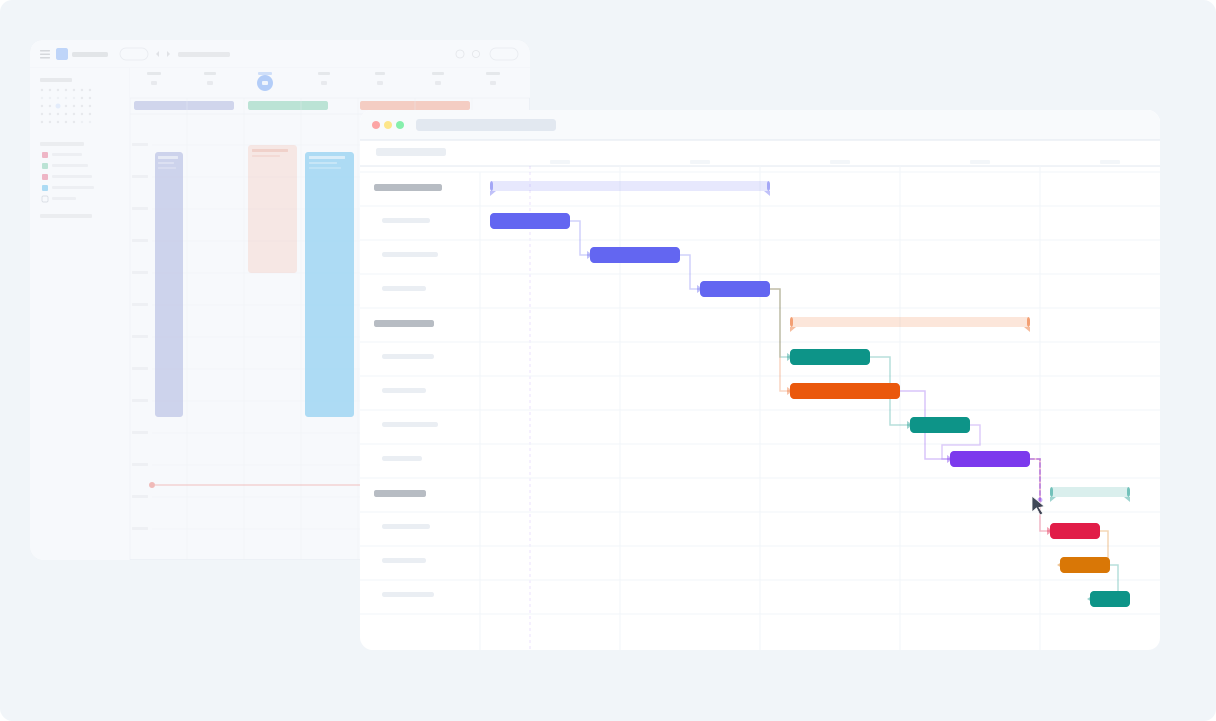
See your entire schedule on a timeline. Link events together, drag them to reschedule and share the plan with anyone. Every change syncs with Google Calendar.
No spam. The Google Calendar integration is in invite-only beta, and we'll email you when your invite is ready.
Your calendar, with a planning layer on top.
Google Calendar is where the work already lives. Ganttify adds the timeline, the dependencies and the grouping that turn those events into a plan, and writes every change back.
-
A timeline for the whole project.
- Day, week and month views answer what is happening now. Ganttify puts the same events on one continuous axis, so six weeks reads at a glance without scrolling.
-
Events that move together.
- Link the events that wait on each other. Move the kickoff and everything downstream moves with it, so the new finish date arrives without you rebuilding the plan.
-
Every calendar in one view.
- Work, client and team calendars arrive as collapsible groups on a single timeline, so you can see how they fit together without switching any of them off.
How Ganttify works with Google Calendar
-
Connect
- Link your Google Calendar account and choose which calendars to include in your timeline.
-
Visualize
- See all your events on an interactive Gantt chart. Events from different calendars appear as color-coded bars on the timeline.
-
Plan
- Set dependencies between calendar events and reschedule them with drag and drop. Every change syncs back to Google Calendar, so your calendar stays the source of truth.
How would you use a Gantt chart with Google Calendar?
We'd genuinely like to know. The integration is in invite-only beta, and hearing how people actually plan is about the most useful thing we can get right now. Mapping a client launch across three calendars? Planning around the meetings you already have? Something we haven't thought of? Drop us a line.
Frequently asked questions about Ganttify and Google Calendar
Everything you need to know about using Ganttify as a Gantt chart add-on for Google Calendar. Can't find what you're looking for? Check out our help center.
- Does Google Calendar have a Gantt chart view?
- No. Google Calendar has day, week, month, and schedule views, but not one that shows events as bars on a timeline. Ganttify adds that view on top of the calendar you already keep. Connect your account and your events appear on an interactive Gantt chart right away.
- How does Ganttify turn Google Calendar into a Gantt chart?
- Connect your Google Calendar account and pick the calendars you want to include. Ganttify pulls in your events and shows them as color-coded bars on a timeline. Drag to reschedule, link dependent events, or share your plan. Every change syncs back to Google Calendar automatically.
- Do I need to move my events out of Google Calendar?
- No. Ganttify sits on top of your existing calendar. Nothing to migrate, no events to duplicate, no new tool to learn. Your events stay in Google Calendar and Ganttify gives you a better way to see and plan them.
- Can I link events that depend on each other?
- Yes. You can create dependencies between events, even across different calendars. When a kickoff meeting slips by a week, you will see exactly which downstream events are affected.
- Can I see multiple Google Calendars on one Gantt chart?
- Yes. Ganttify pulls events from as many calendars as you want into a single timeline. Work, personal, team, shared calendars: they all show up together so you can spot conflicts and see how everything fits.
- Can I share a Google Calendar Gantt chart with people who don't use Google?
- Yes. Share a read-only link to your Gantt chart. Anyone with the link sees your timeline without a Google or Ganttify account, and it updates as your events change in Google Calendar.
Want this for your own calendars? Join the waiting list.
Everything you need
Powerful features for Google Calendar users
-
Event dependencies
- Connect events across different calendars. When a kickoff slips, you see every event it pushes back.
-
Share your calendar as a Gantt chart
- Share a read-only link with clients and stakeholders. They see your project schedule as it changes, no Google account needed.
-
Drag & drop rescheduling
- Drag an event to a new date on the Gantt chart. The change syncs back to Google Calendar instantly.
-
Privacy first
- Your calendar data is loaded on-demand and never stored on our servers. We only read what's needed to render your timeline.
-
Two-way sync
- Move an event in Google Calendar and see it update on the Gantt chart. Reschedule on the Gantt chart and see it in Google Calendar.
-
Smart filters
- Filter by calendar, date range, or keyword. Focus on what matters when you're looking at weeks of events.
-
Team scheduling
- Combine multiple team members' calendars into one timeline. See who's available, who's overbooked, and where schedules overlap.
-
Personal planning
- Plan your week across work and personal calendars. See how gym sessions, meetings, and deadlines fit together on one timeline.
-
PDF export
- Export your Gantt chart as a PDF for presentations, client reports, or printing.
Who uses Ganttify with Google Calendar?
-
Freelancers & consultants
- Juggling multiple client projects? See all your commitments on one timeline. Know exactly when you have capacity for new work.
-
Teams & departments
- Planning a product launch, marketing campaign, or office move? Coordinate schedules across team members and see how everything connects.
-
Personal planning
- Wedding planning, home renovation, travel itinerary: any multi-week project that lives in Google Calendar becomes easier to manage on a Gantt chart.
Ready to turn Google Calendar into a Gantt chart? Join the waiting list.
See your Google Calendar as a Gantt chart.