



Unblock your releases with a GitHub Gantt chart.
Turn milestones into structured release plans. Set dependencies between issues, spot bottlenecks across repos, and drag to reschedule when things change. All synced with GitHub.
No spam. The GitHub integration is in invite-only beta, and we'll email you when your invite is ready.
One click from issues to Gantt chart.
No config, no data entry. Ganttify pulls your issues and milestones from GitHub and builds an interactive Gantt chart. Drag to reschedule, set dependencies, and sync every change back.
-
Milestones as groups.
- Your milestones show up as collapsible groups on the timeline. See which issues belong to each release at a glance.
-
Issues become timeblocks.
- Every issue gets a start and end date on the chart. Drag to reschedule and the date updates in GitHub automatically.
-
Always in sync.
- Reschedule on the Gantt chart and the date updates in GitHub. Close an issue in GitHub and the chart reflects it.
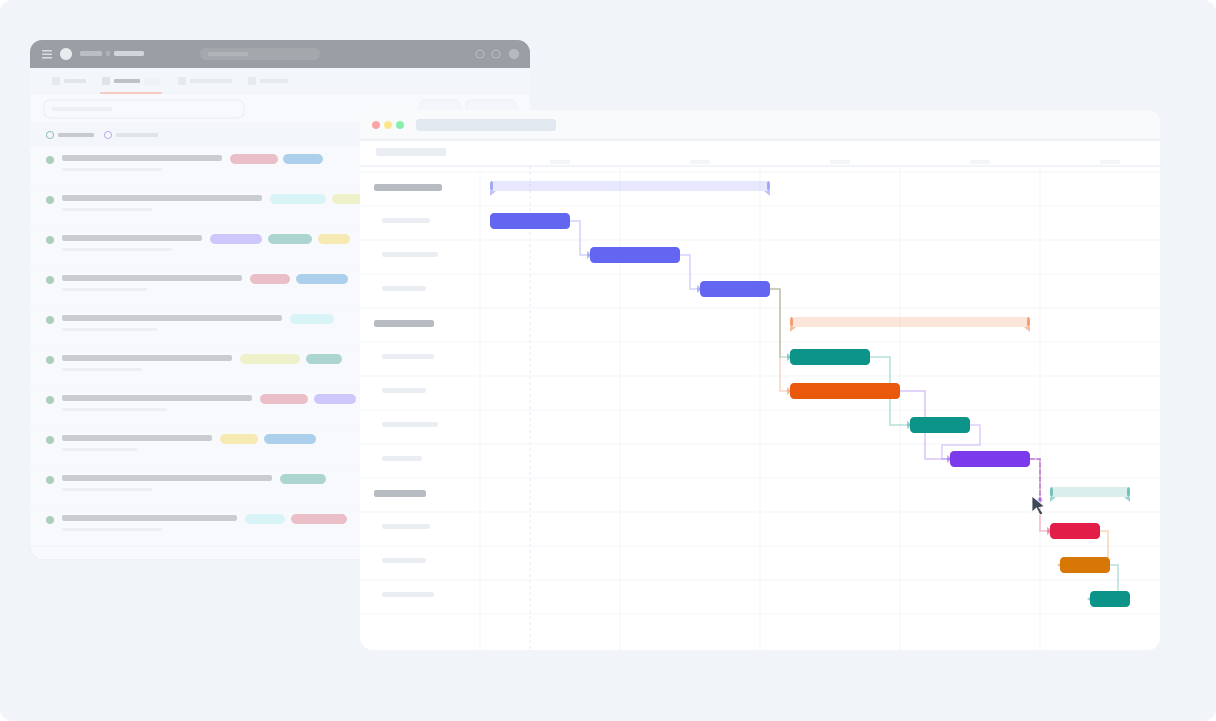
How Ganttify works with GitHub
-
Connect
- Link your GitHub account and choose which repositories to include in your timeline.
-
Visualize
- See all your issues on an interactive Gantt chart. Issues from different repos appear as color-coded bars on the timeline.
-
Plan
- Drag issues to reschedule, link dependent issues together and share the chart with your team. All synced back to GitHub.
How would you use a Gantt chart with GitHub?
We'd genuinely like to know. The integration is in invite-only beta, and hearing how people actually want to use it is about the most useful thing we can get right now. Mapping a launch across five repositories? Running everything off milestones? Something we haven't thought of? Drop us a line.
Cross-repository dependencies for your GitHub issues.
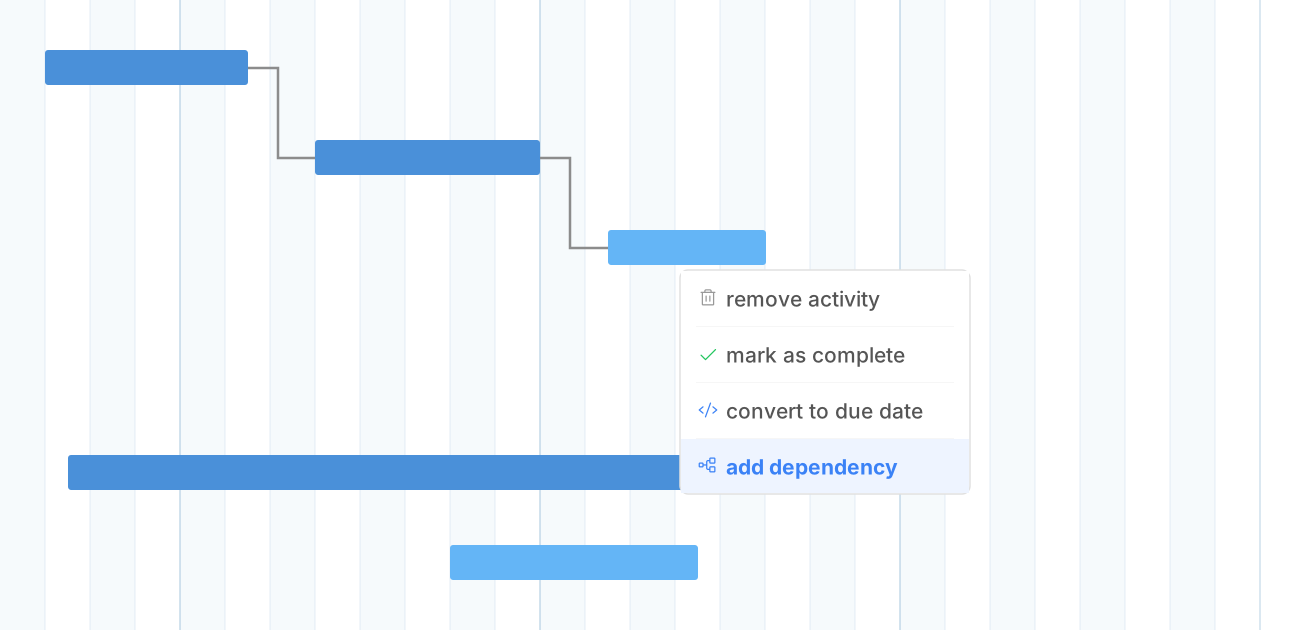
When a feature branch can't ship until the API is done, you need to see that relationship. Mark issues as blocking or blocked by and let the timeline handle the rest.
-
Beyond "blocked by."
- GitHub tracks which issues block each other. Ganttify turns those relationships into dependency arrows on a timeline, with automatic date cascading when things slip.
-
Works across repositories.
- Dependencies aren't limited to a single repository. Link any issue to any other issue, regardless of which repository it lives in.
Plan your release across every GitHub repository.
Releases span multiple repositories. Ganttify pulls issues from as many repos as you need into a single Gantt chart. See how frontend, backend, and infrastructure work fits together.
-
Any repository, any organization.
- Pick repositories from across your organizations. Frontend, backend, infrastructure: all on one timeline.
-
Keep stakeholders in the loop.
- PMs, clients and leadership follow your release roadmap on a live Gantt chart, without a GitHub seat.
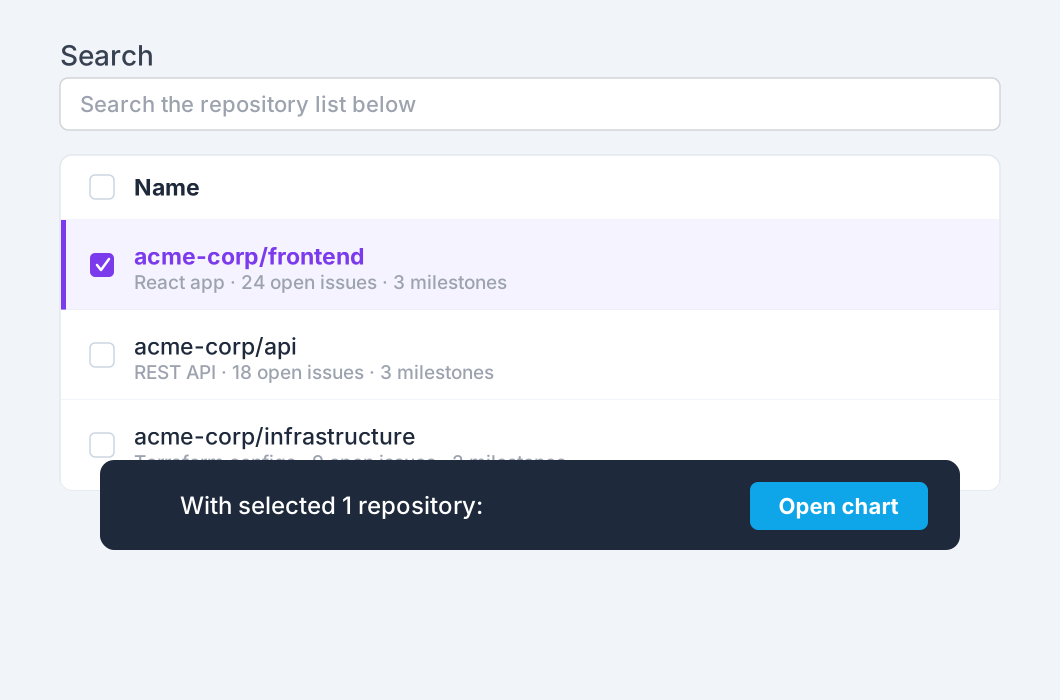
Want this for your repositories? Join the waiting list.
Everything you need
Powerful features for GitHub users
-
Blocked by / blocking
- Mark issues as blocking or blocked by. Ganttify draws the arrows and shifts dates when a blocker slips.
-
Milestones as groups
- Your milestones become collapsible groups on the timeline. Track progress per release at a glance.
-
Start & end dates
- GitHub Issues don't have native date ranges. Ganttify gives every issue a start and end date on the timeline.
-
Filter by label, assignee, milestone
- Slice your timeline the way you slice your issue board. Filter by any combination of labels, assignees, or milestones.
-
Two-way sync
- Reschedule on the Gantt chart, the date updates in GitHub. Close an issue in GitHub, the chart reflects it.
-
Multi-repository timelines
- Combine issues from multiple repositories into one Gantt chart. See how your release comes together across codebases.
-
Share your GitHub roadmap
- Share a read-only link to your Gantt chart. Release dates and progress update as your issues move, so nobody works from an outdated plan.
-
Your data stays yours
- Issue data is loaded on-demand and never stored. We only read what's needed to render your timeline.
-
PDF export
- Export your Gantt chart as a PDF for sprint reviews, standups, or release documentation.
Frequently asked questions about Ganttify and GitHub
Everything you need to know about using Ganttify with GitHub. Can't find what you're looking for? Check out our help center.
- Does GitHub have a built-in Gantt chart?
- No. GitHub Projects offers a roadmap layout that places issues on a timeline, but it lacks drag-to-reschedule, dependency arrows, and day-level scheduling. Ganttify adds a full interactive Gantt chart on top of your existing GitHub issues and milestones.
- How does Ganttify handle GitHub issue dependencies?
- GitHub lets you mark issues as blocked by or blocking other issues. Ganttify turns those relationships into visual dependency arrows on the timeline. When a blocking issue slips, every dependent issue shifts its start date automatically.
- Can I plan across multiple GitHub repositories?
- Yes. Select repositories from any organization and Ganttify combines their issues into a single Gantt chart. See how work across frontend, backend, and infrastructure repositories fits together on one timeline.
- How are GitHub milestones displayed?
- Milestones become collapsible groups on the Gantt chart. Each milestone contains its issues as timeblocks, so you can see progress per release and plan each milestone as a structured block.
- Do I need GitHub Projects to use Ganttify?
- No. Ganttify works directly with GitHub Issues and milestones. You don't need to set up a GitHub Project, create custom date fields, or configure anything. Connect your repositories and start planning.
- Do changes sync back to GitHub?
- Yes. Drag an issue to a new date on the Gantt chart and it updates in GitHub. Close an issue in GitHub and the chart reflects it. Two-way sync keeps everything in one place.
- Can I share a GitHub roadmap with people who don't use GitHub?
- Yes. Share a read-only link to your Gantt chart. PMs, clients and stakeholders see the roadmap without a GitHub or Ganttify account. It updates as your issues change in GitHub, so no one plans from a stale screenshot.
- Is my GitHub data stored on Ganttify's servers?
- No. Ganttify loads your issue data on the fly each time you open a chart. Nothing is downloaded or stored on our servers. When you close the chart, the data is gone.
- Can I use the GitHub integration yet?
- It's running as an invite-only beta. Join the waiting list and we'll send you an invite as we widen access. If you'd like to tell us how you'd use it, email [email protected]. We're keen to hear it.
Plan your releases on a GitHub Gantt chart. Join the waiting list.
Also available for Basecamp, Trello, Todoist and Google Calendar.
Plan your releases on a GitHub Gantt chart.