



The Gantt chart for Trello, dependencies included
Drag cards to reschedule, set dependencies across boards, and share your plan. No Trello Premium required.
Your cards on an interactive timeline.
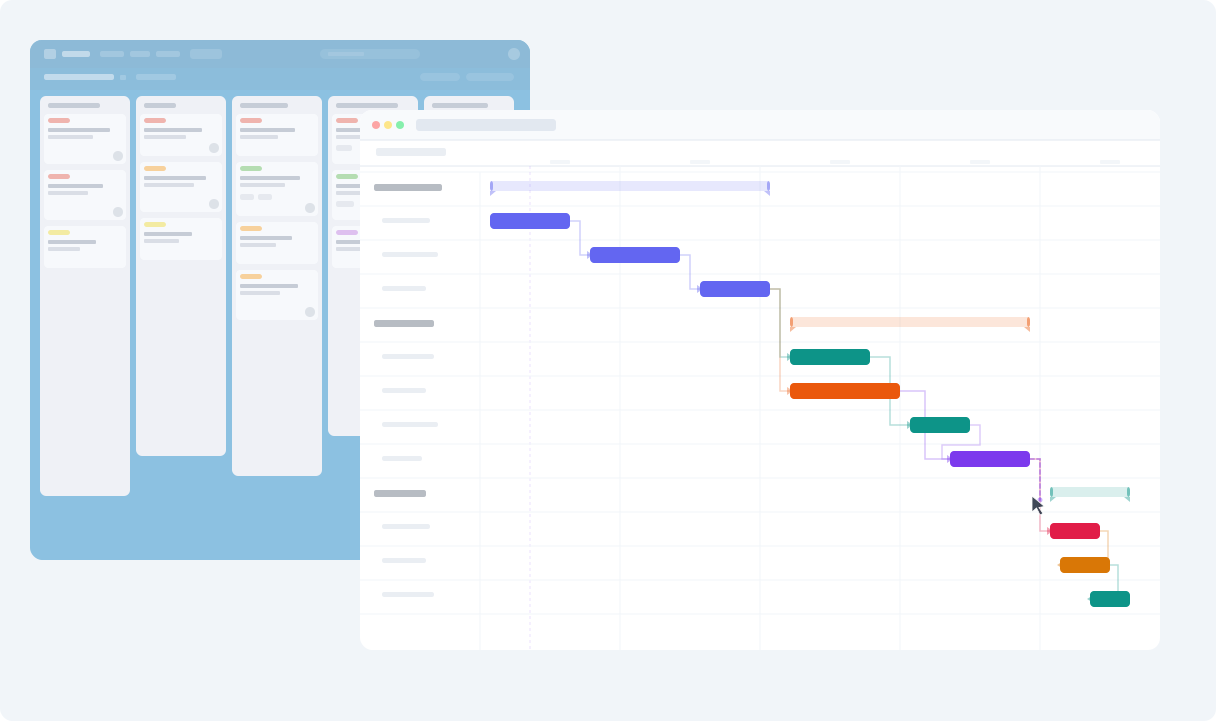
Your Trello cards show up as timeblocks on a Gantt chart. Drag them to reschedule, set start and end dates, and see how your whole project fits together.
-
Drag to reschedule.
- Grab a card on the timeline and move it to a new date. The change syncs back to Trello automatically.
-
Start and end dates.
- Give your cards a real duration. Not just a due date, but when work starts and how long it takes.
-
No Premium required.
- Ganttify works with every Trello plan, including Free. You don't need Trello Premium to get a timeline.
Point, click & done.
Your first Gantt chart for Trello is that easy.
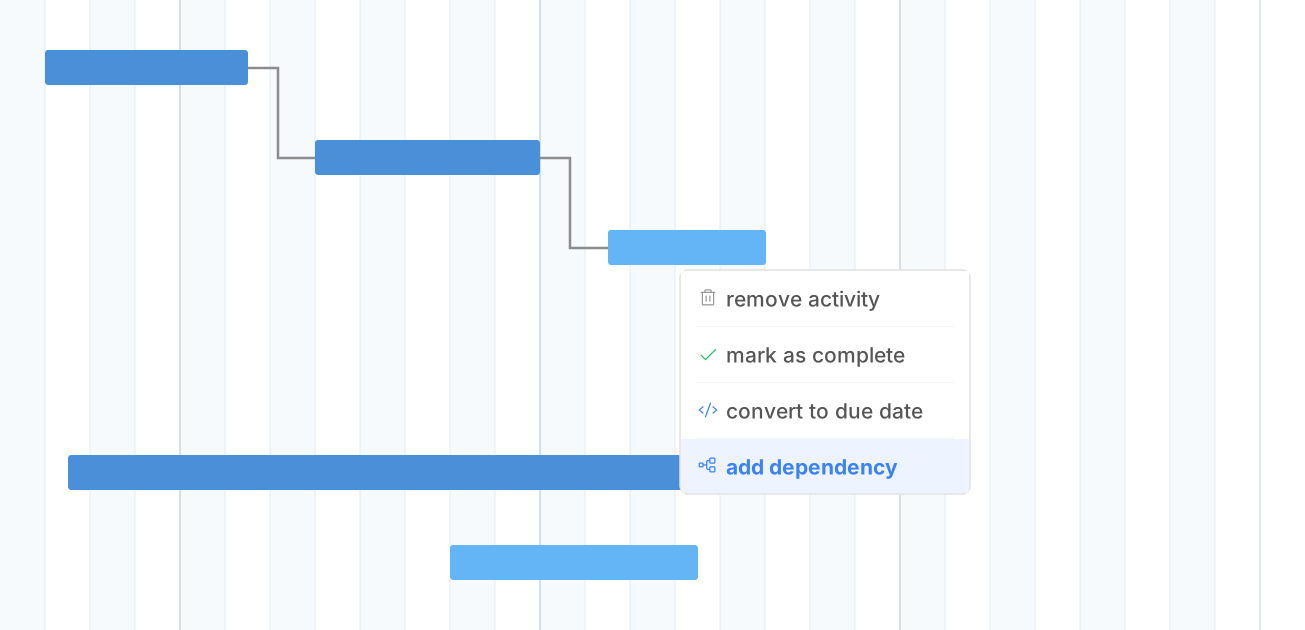
Set dependencies between cards, even across boards.
Link cards that depend on each other. When one card slips, everything downstream shifts automatically. No more manually updating dates across your boards.
-
Cross-board links.
- Define dependencies between cards, even across different Trello boards and workspaces.
-
Automatic cascading.
- Move a card forward and every dependent card adjusts its start date. See how a delay ripples through your project.
See all your Trello boards on one timeline.
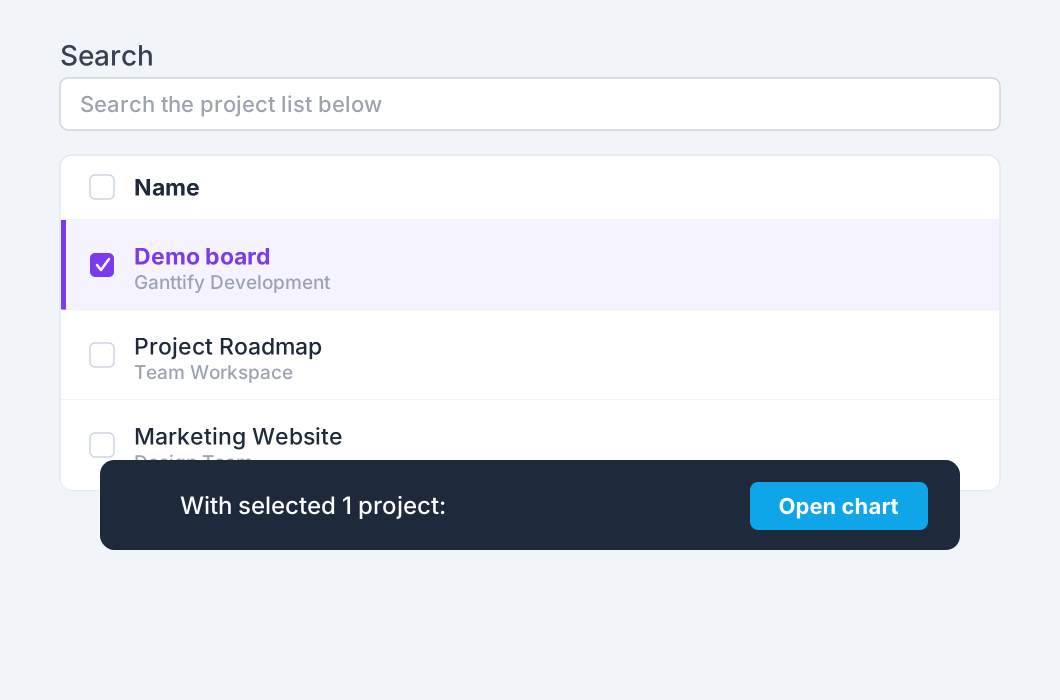
Projects often span multiple boards. Ganttify combines them into a single Gantt chart so you can spot conflicts and plan across teams.
-
Boards and workspaces.
- Select boards from any workspace. Ganttify shows them all on one unified timeline.
-
Share with anyone.
- Share a read-only link to your Trello timeline. Clients and stakeholders follow progress without a Ganttify or Trello account.
Everything you need
Powerful features for Trello users
-
Card dependencies
- Link cards that depend on each other, even across boards. When one card moves, dependent cards adjust automatically.
-
Plan it with your team
- Share a chart with your team on a team plan. You decide who can view it and who can edit it.
-
Start & end dates
- Give cards a real duration. Not just when they're due, but when they start and how long they take.
-
Privacy first
- Your project data never stays on our servers. It's loaded each time you open the Gantt chart.
-
Always in sync
- Change a due date on the Gantt chart and it updates in Trello. Complete a card in Trello and the chart reflects it.
-
Filters
- Big timeline spanning multiple boards? Filter by board, member, or date range to find what you need.
-
Works great with teams
- Invite your team so everyone sees the project timeline. Colleagues, managers, and clients all on the same page.
-
... and individuals.
- Planning a wedding, tracking renovations, or managing freelance projects. Know when you have time and when you don't.
-
Export as PDF
- Save your Gantt chart as a PDF for status reports, client presentations, or printing.
Frequently asked questions about Ganttify and Trello
Everything you need to know about using Ganttify with Trello. Can't find what you're looking for? Check out our help center.
- Does Trello have a Gantt chart?
- Trello Premium includes a Timeline view that lays cards out by date, and Ganttify answers the next question: how those cards depend on each other. It draws a full Gantt chart from your boards on any Trello plan, with dependencies across boards, drag-to-reschedule and two-way sync.
- Do I need Trello Premium to use Ganttify?
- No. Ganttify works with every Trello plan, including Free. You get a full Gantt chart with dependencies, drag-to-reschedule, and multi-board timelines regardless of your Trello subscription.
- Can I set dependencies between Trello cards?
- Yes. With Ganttify, you link cards that depend on each other on the Gantt chart, even across different boards. When one card slips, all dependent cards automatically shift to their new dates.
- Can I see multiple Trello boards on one timeline?
- Yes. Select the boards you want together and Ganttify combines them into a single Gantt chart. Cards from different boards appear on the same timeline so you can spot conflicts and plan across teams.
- Do changes in Ganttify sync back to Trello?
- Yes. Ganttify and Trello stay in sync both ways. Drag a card to a new date on the Gantt chart and it updates in Trello. Complete a card in Trello and the chart reflects it.
- Can I share my Trello Gantt chart with people who don't use Trello?
- Yes. Share a read-only link to your Gantt chart. Anyone with the link can view the timeline without a Ganttify or Trello account, and it stays up to date as your cards change in Trello.
- Is my Trello data stored on Ganttify's servers?
- No. Ganttify loads your Trello board data on the fly each time you open a chart. Nothing is downloaded or stored on our servers. When you close the chart, the data is gone.
- How much does Ganttify cost?
- Ganttify offers a free 14-day trial with full access to all features. After the trial, paid plans are available based on your needs. Visit our pricing page for current plan details.
Ready to try it?
Start your free 14-day trial today.
Also available for Basecamp, Todoist, Google Calendar and GitHub.