



Unblock your releases with a GitHub Gantt chart.
Turn milestones into structured release plans. Draw blocked-by dependencies between issues, spot bottlenecks across repositories, and drag to reschedule when things change. Dates and dependencies sync with GitHub.
No spam. The GitHub integration is in invite-only beta, and we'll email you when your invite is ready.
One click from issues to Gantt chart.
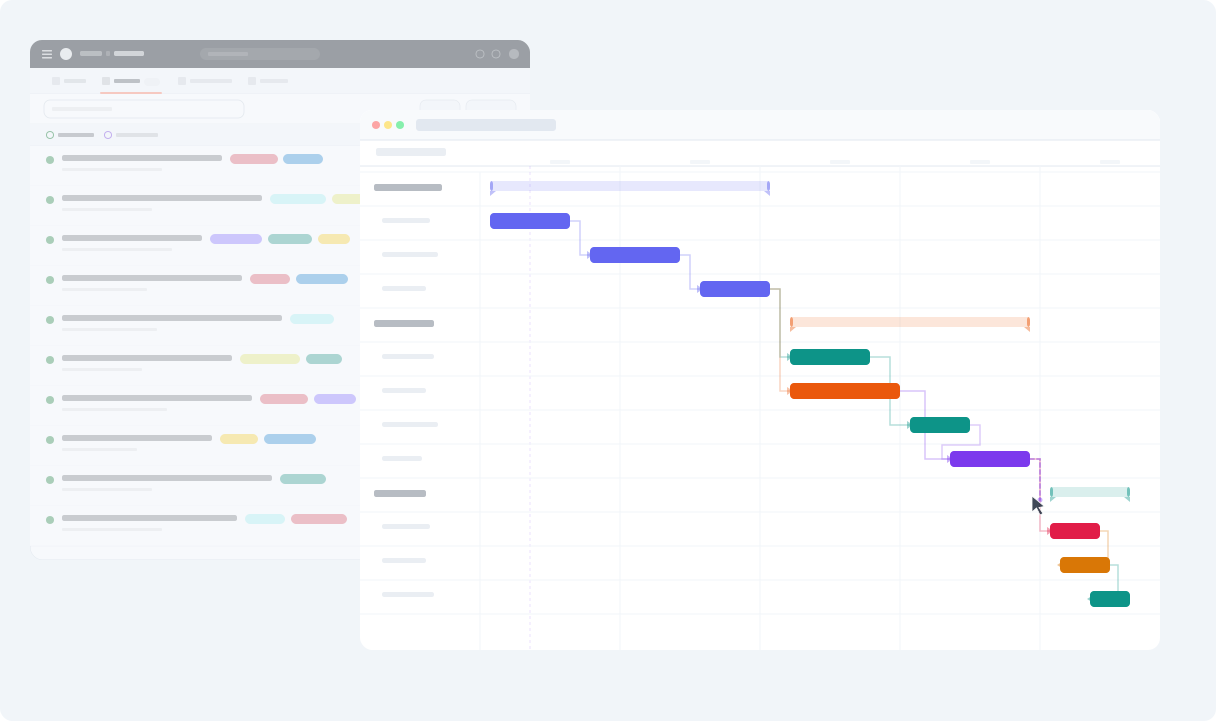
No config, no data entry. Ganttify pulls your issues and milestones from GitHub and builds an interactive Gantt chart. Drag to reschedule, draw dependencies, and the changes land in GitHub.
-
Milestones as groups.
- Your milestones show up as groups on the timeline, each with a diamond on its due date. See which issues belong to each release at a glance, and drag the diamond to move the due date in GitHub.
-
Issues become timeblocks.
- Drag an issue and Ganttify writes its Start date and Target date to GitHub's issue fields, or to your project's date fields when you prefer. You choose where the dates live, per chart.
-
Always in sync.
- Reschedule on the Gantt chart and the dates update in GitHub's issue fields. Close an issue in GitHub and the chart reflects it, or close it from the chart and GitHub follows.
How Ganttify works with GitHub
-
Connect
- Connect your GitHub account and pick the repositories or projects to put on your timeline.
-
Visualize
- See all your issues on an interactive Gantt chart. Each repository gets its own group on the timeline, with its milestones and issues beneath it.
-
Plan
- Drag issues to reschedule, link dependent issues together and share the chart with your team. All synced back to GitHub.
How would you use a Gantt chart with GitHub?
We'd genuinely like to know. The integration is in invite-only beta, and hearing how people actually want to use it is about the most useful thing we can get right now. Mapping a launch across five repositories? Running everything off milestones? Something we haven't thought of? Drop us a line.
Cross-repository dependencies for your GitHub issues.
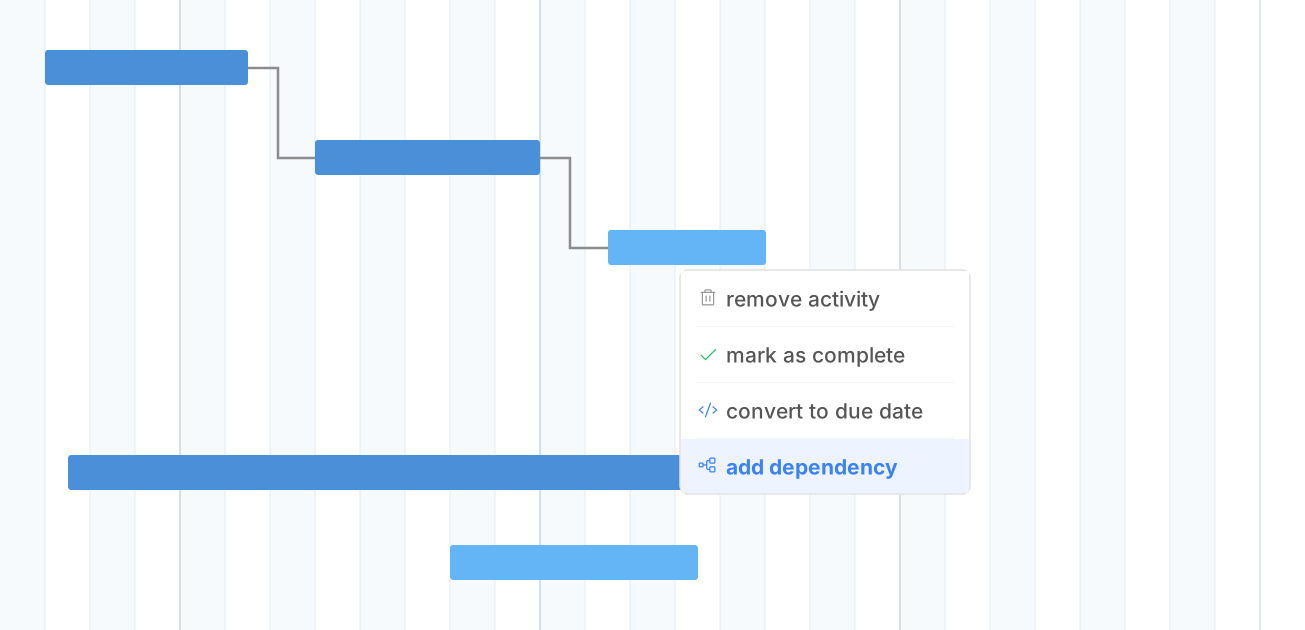
When a feature branch can't ship until the API is done, you need to see that relationship. GitHub's blocked-by relationships become arrows on the chart, and an arrow you draw on the chart becomes a blocked-by relationship in GitHub.
-
Blocked-by, both ways.
- GitHub tracks which issues block each other. Ganttify draws those relationships as dependency arrows on the timeline, and an arrow you add or remove on the chart updates the blocked-by list in GitHub.
-
Works across repositories.
- Dependencies aren't limited to a single repository. Put several repositories on one chart and draw an arrow from an issue in one to an issue in another.
Plan your release across every GitHub repository.
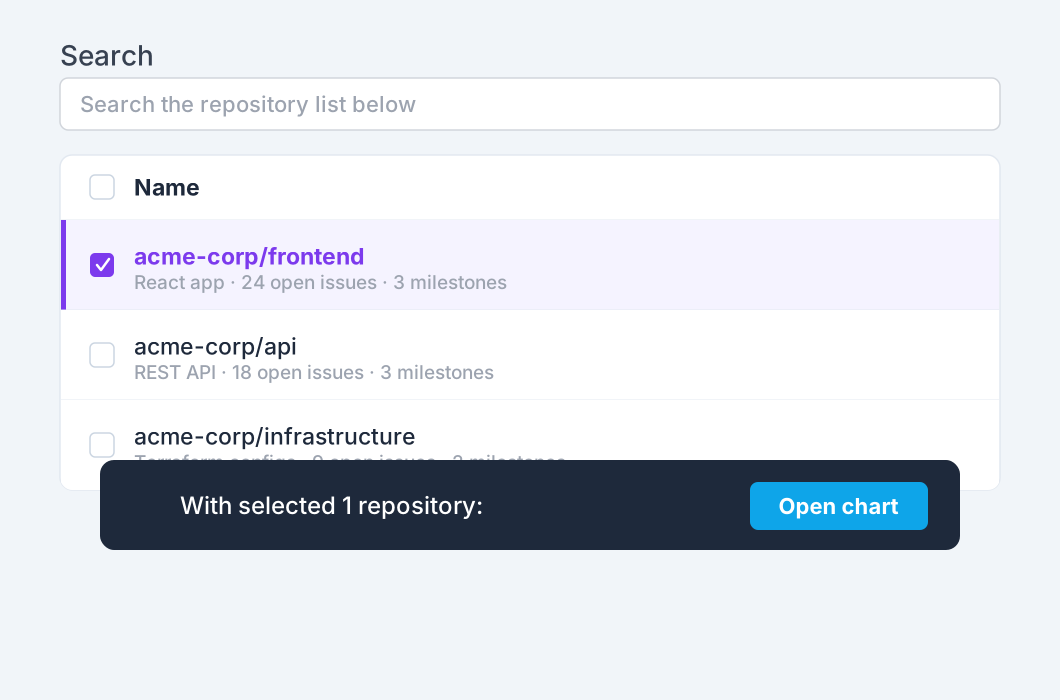
Releases span multiple repositories. Ganttify pulls issues from as many repositories as you need into a single Gantt chart, or charts a GitHub project that already spans them. See how frontend, backend, and infrastructure work fits together.
-
Any repository, any organization.
- Pick repositories from across your organizations. Frontend, backend, infrastructure: all on one timeline, each as its own group.
-
Keep stakeholders in the loop.
- PMs, clients and leadership follow your release roadmap on a live Gantt chart, without a GitHub seat.
Want this for your repositories? Join the waiting list.
Everything you need
Powerful features for GitHub users
-
Blocked by, both ways
- Blocked-by relationships from GitHub become arrows on the chart, and arrows you draw become blocked-by relationships in GitHub, across repositories too.
-
Milestones as groups
- Your milestones become groups on the timeline with a diamond on each due date. Track progress per release at a glance.
-
Start & end dates
- Every issue gets a start and an end date on the timeline, stored in GitHub's Start date and Target date issue fields, in a project's date fields, or in Ganttify alone.
-
Filter by label or assignee
- Slice your timeline the way you slice your issue board. Labels and assignees sit next to every issue, so you can filter the chart down to one team or one label.
-
Two-way sync
- Reschedule on the Gantt chart and the dates update in GitHub's issue fields. Close an issue in GitHub and the chart reflects it. Close it from the chart and GitHub follows.
-
Repositories and projects
- Combine issues from multiple repositories into one Gantt chart, or chart a GitHub project: Status columns become groups and your date or iteration fields draw the bars.
-
Share your GitHub roadmap
- Share a read-only link to your Gantt chart. Release dates and progress update as your issues move, so nobody works from an outdated plan.
-
Your issues stay in GitHub
- Ganttify reads your issues from GitHub when you open a chart. It keeps only what the chart adds: your chart settings, hidden rows and bar styling.
-
PDF export
- Export your Gantt chart as a PDF for sprint reviews, standups, or release documentation.
Frequently asked questions about Ganttify and GitHub
Everything you need to know about using Ganttify with GitHub. Can't find what you're looking for? Check out our help center.
- Does GitHub have a built-in Gantt chart?
- Not as such. GitHub Projects has a roadmap layout that places project items on a timeline by their date fields. Ganttify adds a Gantt chart on top of the repositories themselves: milestones as groups, issues as bars, blocked-by relationships drawn as dependency arrows, and several repositories or projects on one chart.
- How does Ganttify handle GitHub issue dependencies?
- GitHub lets you mark an issue as blocked by other issues. Ganttify draws those relationships as dependency arrows on the timeline, and it works the other way too: draw an arrow between two issues on the chart and the blocked-by relationship is added in GitHub, remove the arrow and it goes. This works across repositories on the same chart. Arrows that touch a milestone or a draft stay in Ganttify.
- Can I plan across multiple GitHub repositories?
- Yes. Select repositories from any organization and Ganttify combines them into a single Gantt chart, one group per repository. See how work across frontend, backend, and infrastructure repositories fits together on one timeline.
- How are GitHub milestones displayed?
- Milestones become groups on the Gantt chart, each with a diamond on its due date. The milestone's issues sit beneath it as timeblocks, and sub-issues nest under their parent, so you can see progress per release at a glance. Drag the diamond and the due date moves in GitHub.
- Do I need GitHub Projects to use Ganttify?
- No. Ganttify works directly with GitHub Issues and milestones. In an organization, issue dates go to GitHub's own Start date and Target date issue fields by default. For a personal repository, or an organization without date fields, Ganttify keeps the dates itself. If you do use GitHub Projects, you can chart a project directly or store issue dates in its date fields.
- Do changes sync back to GitHub?
- Yes. Drag an issue to a new date on the Gantt chart and its Start date and Target date issue fields update in GitHub, or the date fields of the project you chose. Draw a dependency arrow and the blocked-by relationship appears in GitHub. Mark an issue complete on the chart and it closes in GitHub. Changes made in GitHub show on the chart the next time it loads.
- Can I share a GitHub roadmap with people who don't use GitHub?
- Yes. Share a read-only link to your Gantt chart. PMs, clients and stakeholders see the roadmap without a GitHub or Ganttify account. It updates as your issues change in GitHub, so no one plans from a stale screenshot.
- Is my GitHub data stored on Ganttify's servers?
- Your issues, milestones and projects stay in GitHub. Ganttify reads them each time you open a chart and stores only what the chart adds on top: your chart settings, hidden rows, bar styling, and issue dates when you choose to keep those in Ganttify instead of GitHub.
- Can I use the GitHub integration yet?
- It's running as an invite-only beta. Join the waiting list and we'll send you an invite as we widen access. If you'd like to tell us how you'd use it, email [email protected]. We're keen to hear it.
Plan your releases on a GitHub Gantt chart. Join the waiting list.
Also available for Trello, Basecamp, Todoist and Google Calendar.
Plan your releases on a GitHub Gantt chart.